This post is complete. I will be updating it every now and then, so be sure to come back!
We will be dissecting professional covers in order to reverse engineer design them. It is important to pay attention to the book cover trends – this has to do with what book covers have in common. Following the trend can encourage someone to pick up your book because it looks similar to a book they love, but it can also get lost in a sea of copies. I would suggest making covers unique, true to your own style, but for the purpose of fulfilling your request I have brought this mini lesson series.
DISCLAIMER: These covers were made for educational purposes only, I do not own any of the photographs shown. However, I have linked the original images with credit to the respective owners.

We will be dissecting professional covers in order to reverse engineer design them. It is important to pay attention to the book cover trends – this has to do with what book covers have in common. Following the trend can encourage someone to pick up your book because it looks similar to a book they love, but it can also get lost in a sea of copies. I would suggest making covers unique, true to your own style, but for the purpose of fulfilling your request I have brought this mini lesson series.
Book cover can usually be used for more than one genre.
DISCLAIMER: These covers were made for educational purposes only, I do not own any of the photographs shown. However, I have linked the original images with credit to the respective owners.
1: Action/Adventure
To be updated.
To be updated.
2: ChickLit/Women’s Fiction
To be updated.
To be updated.
3: Fantasy
To be updated.
To be updated.
4: General Fiction
To be updated.
To be updated.
5: Historical Fiction
To be updated.
To be updated.
6: Horror
To be updated.
To be updated.
7: Humor
To be updated.
To be updated.
8: Mystery/Thriller
To be updated.
To be updated.
9: Non-Fiction
To be updated.
To be updated.
10: Paranormal
To be updated.
To be updated.
11: Poetry
To be updated.
To be updated.
12: Romance
To be updated.
To be updated.
13: Science Fiction
To be updated.
To be updated.
14: Spiritual
To be updated.
To be updated.
15: Teen Fiction/Young Adult
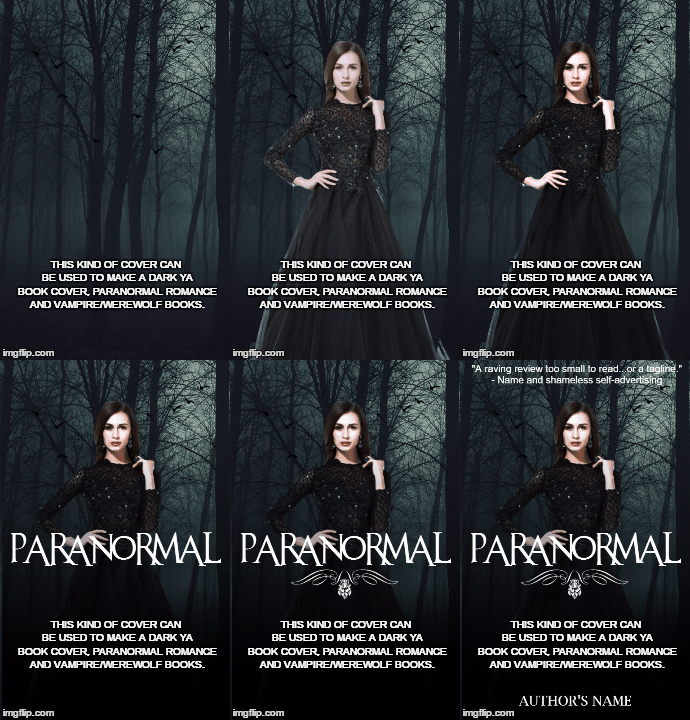
For this cover I will be showing you one that can be used for multiple covers, but mainly dark books such as vampire, werewolf, dark YA, and/or paranormal (romance). It isn't perfect and can be fine tuned, but you should be able to get the gist of it. Typically, they'll have a girl in a dark dress in the forest with a slightly decorative font that is legible. Sometimes they'll have a flourish to fill more space.
16: Vampire/Werewolf
Building upon the cover above, we will use the option to create a vampire to create a werewolf and vampire book.
VAMPIRE
Leave the forest, add a girl in the background (wall-pix.net) and change the layer mode to Overlay. Then add some blood to the mouth with fangs, I got a mouth already done and edited it onto the model. (keyword-suggestions.com) Afterwards, I made some adjustments to her face:
MODEL LAYER
Curves:
+ Country
+ Decrease contrast
Dodge Tool (O):
+ Highlights
+ Exposure: 30
Hue/Saturation
+ Saturation: -30
This will make her pale and have that alabaster skin vampires tend to have.
WEREWOLF
All I did was change the background to one of a wolf howling at the moon (pbase.com) and the title.


You will need:
BACKGROUND - A foggy, dark forest (pcwallart.com)

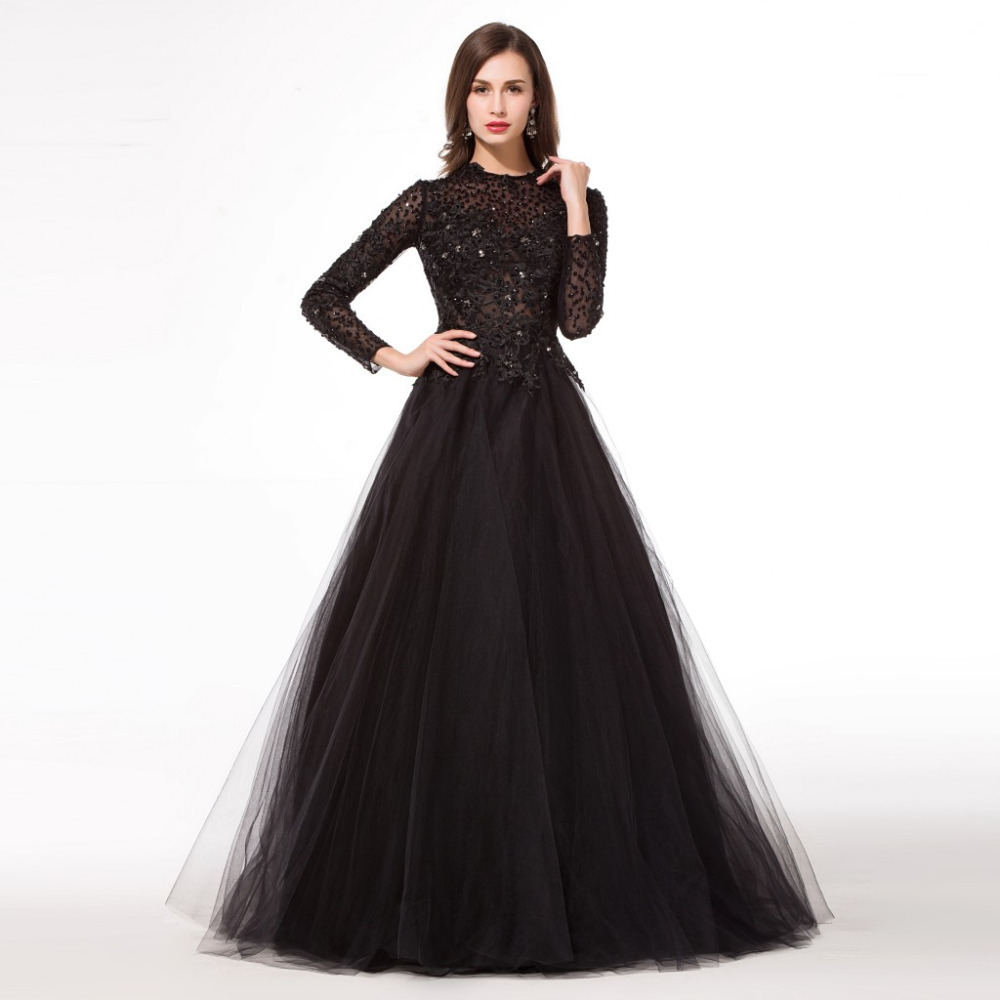
MODEL - Female in a black gown (dressedupgirl.com)
- CURVES: Chillauto and Increase Contrast
FONT - Eremaeus (or An Unforunate Event)
DECORATION - A flourish and a flock of birds (flourishatlanta.com + fictionchick.deviantart.com)


- On flourish layer, go to Adjustment> Hue and Saturation> Lightness: 100
- On birds layer, go to Adjustment> Hue and Saturation> Lightness: -80
- Erase some birds and merge with background layer
OPTIONAL - A wolf and/or moon (werewolf)
- Fangs and/or blood (vampire)
Building upon the cover above, we will use the option to create a vampire to create a werewolf and vampire book.
VAMPIRE
Leave the forest, add a girl in the background (wall-pix.net) and change the layer mode to Overlay. Then add some blood to the mouth with fangs, I got a mouth already done and edited it onto the model. (keyword-suggestions.com) Afterwards, I made some adjustments to her face:


MODEL LAYER
Curves:
+ Country
+ Decrease contrast
Dodge Tool (O):
+ Highlights
+ Exposure: 30
Hue/Saturation
+ Saturation: -30
This will make her pale and have that alabaster skin vampires tend to have.
WEREWOLF
All I did was change the background to one of a wolf howling at the moon (pbase.com) and the title.


Comments
Post a Comment